Beyond the Microphone: How I Evolved Finnie into an Agentic Voice System

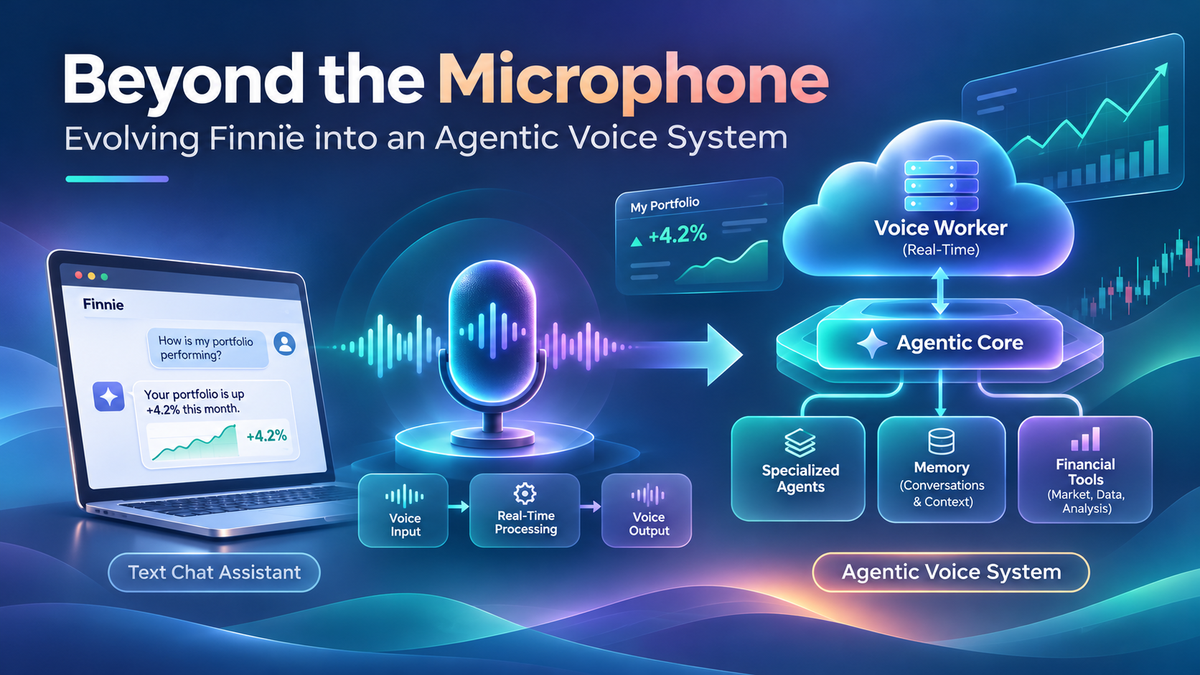
The architecture decisions, latency experiments, and hard-earned lessons behind adding real-time conversation to an existing LangGraph application.
Adding voice to an AI application sounds deceptively simple: put a microphone button next to the chat box, transcribe what the user says, send it to an LLM, and convert the response back into speech.
That works for a demo. But what happens when your existing application already has multiple specialized agents, persistent memories, financial data providers, user authentication, and an established conversation workflow?
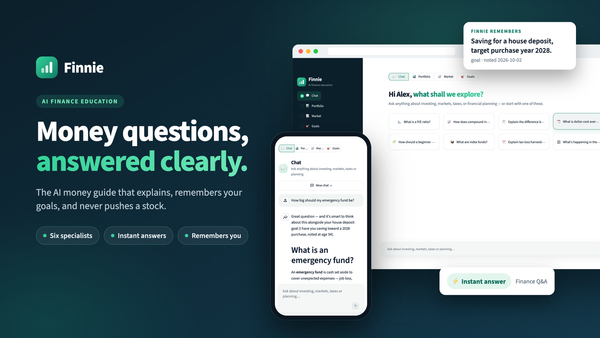
That was the challenge I faced while adding voice capabilities to Finnie, my AI-powered financial education assistant.
What started as a seemingly straightforward feature quickly became a deeper engineering exercise involving distributed systems, real-time processing, state management, latency optimization, safety, and evaluation.
Here is how the architecture evolved, the tradeoffs I made, what actually worked, and what I learned along the way.
1. The starting point: an existing agentic application
Before voice, Finnie already had a reasonably sophisticated architecture.
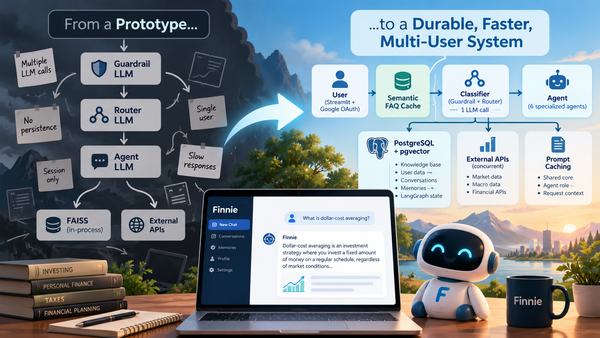
A Streamlit frontend hosted on Google Cloud Run connected users to a LangGraph-powered workflow containing specialized agents. These agents supported financial education, tax questions, goals, market analysis, portfolio discussions, and financial news.
The application also included persistent conversation history, user memories, retrieval and FAQ caching, and integrations with financial data providers.
The important question was:
Should I build a separate voice agent, or give the existing agents the ability to communicate through speech?
I chose the second approach.
Building a separate voice agent would duplicate business logic, tools, guardrails, and memory management. Eventually, the two interfaces could produce inconsistent answers to the same financial question.
Instead, voice would become another interface to the same intelligence.
That architectural decision shaped almost everything that followed.
2. Choosing the technology stack
My initial proposed stack was:
| Layer | Technology |
|---|---|
| Real-time voice framework | LiveKit Agents |
| Speech-to-text | Deepgram Nova-3 |
| Agent orchestration | Existing LangGraph workflow |
| Language models | Anthropic Claude |
| Text-to-speech | ElevenLabs |
| Speaker diarization | pyannote Community-1 |
But choosing a technology because it is capable is different from choosing it because it is necessary.
Why I didn't include pyannote in the live pipeline
Speaker diarization answers the question: Who spoke when?
For a one-on-one voice session, LiveKit already maintains separate participant audio tracks. Adding pyannote would introduce additional model dependencies, processing overhead, and deployment complexity without helping the initial use case.
I therefore kept diarization outside the live architecture.
If Finnie later needs to analyze uploaded recordings involving financial advisors and multiple family members, speaker diarization could become useful. It simply wasn't necessary for the first release.
Why I chose a cascaded pipeline instead of an end-to-end speech model
There were two broad options.
A speech-to-speech model can process spoken input and generate spoken output with relatively few explicit intermediate stages.
A cascaded pipeline separates transcription, language understanding, and speech synthesis.
I chose the cascaded pipeline because Finnie already had valuable logic living behind its text interface.
The tradeoff was clear: more control and auditability, at the cost of additional latency.
Each stage could be independently tested, observed, benchmarked, or replaced without requiring a complete rewrite of the financial assistant.
3. Architecture evolution: from one application to two runtimes
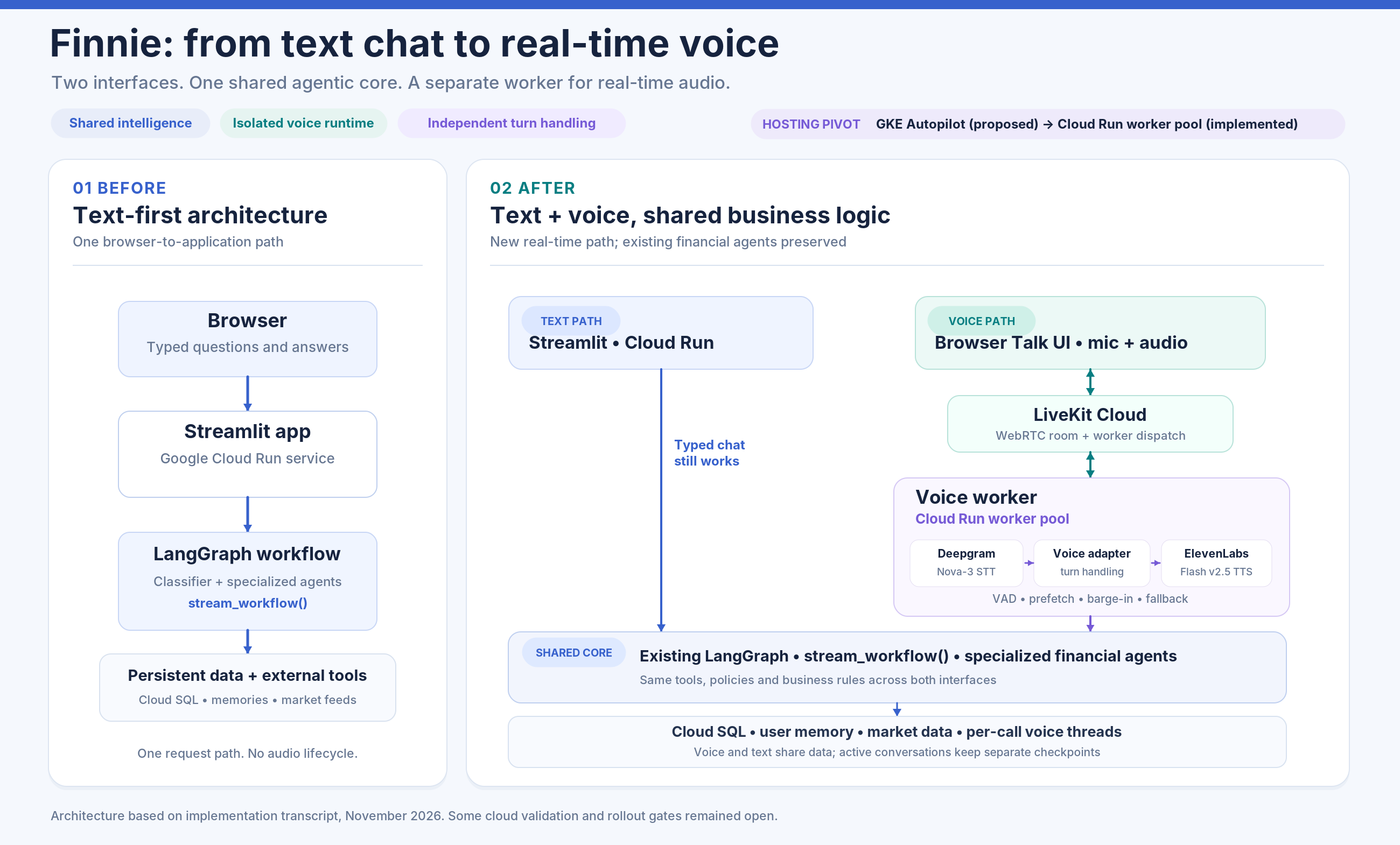
The architecture eventually separated the existing web application from a dedicated voice worker.
                  Browser
           +--------------------+
           | Streamlit + Talk   |
           | Google Sign-In     |
           +---------+----------+
                     |
              LiveKit Token
                     |
                     v
               LiveKit Cloud
                 (WebRTC)
                     |
                     v
           +--------------------+
           | Voice Worker       |
           | Cloud Run Pool     |
           +--------------------+
                     |
              Deepgram STT
                     |
              Voice Adapter
                     |
                     v
           +--------------------+
           | Existing LangGraph |
           | Classifier         |
           | Specialized Agents |
           | Tools and Memories |
           +--------------------+
                     |
             Speech Formatting
                     |
              ElevenLabs TTS
                     |
                     v
                User Audio

 Shared infrastructure:
 Cloud SQL, financial data providers,
 caches, memory and model services
The original design proposed hosting the voice worker on GKE Autopilot.
During implementation, that evolved into Cloud Run worker pools.
Why?
Traditional Cloud Run services are oriented around incoming HTTP requests. A LiveKit voice worker operates differently. It maintains an outgoing connection, waits for session assignments, and processes long-running calls.
Cloud Run worker pools support this kind of continuously running background workload.
This allowed me to remain within the existing Google Cloud deployment ecosystem while separating voice processing from the web application's request lifecycle.
The two runtimes share application logic and data, but have their own deployment and operational characteristics.
A voice-worker crash should not take down ordinary text chat.
Reusing LangGraph without bypassing existing behavior
One important integration decision was whether to connect LiveKit directly to LangGraph through its generic LLM adapter.
That looked attractive, but Finnie's existing stream_workflow() was doing more than simply invoking a graph.
It handled per-turn state resets, conversation preparation, classifier-output filtering, cached responses, and final persistence.
Bypassing that wrapper could introduce duplicated conversation history, stale state, or accidental speech output from internal routing nodes.
I therefore kept stream_workflow() as the integration boundary and ran its synchronous streaming work outside LiveKit's asynchronous audio event loop.
This kept the voice worker focused on real-time communication rather than duplicating application intelligence.
4. One small parameter made the architecture safer
Text and voice need different presentation styles.
A written answer can contain bullet points, markdown, detailed explanations, and tables.
A spoken answer should be shorter, conversational, and easy to follow without looking at a screen.
The solution was introducing a channel parameter to the workflow.
stream_workflow(
    question,
    channel="voice"
)
For normal chat, the default remains text.
For voice, the workflow receives instructions to produce approximately two to four concise sentences, spoken naturally.
Importantly, those voice instructions belong to the per-request prompt context, not the shared cached system-prompt prefix.
Otherwise, changing the prompt for voice could invalidate prompt caching across the existing text product, increasing cost and latency.
I also made a temporary tradeoff with the FAQ cache.
The existing cache contained answers formatted for text. Reusing them for voice could cause the worker to read long responses aloud, while saving short voice responses into the same cache could degrade the text experience.
Rather than immediately redesigning the cache key, the implementation bypassed the shared FAQ cache for voice.
That gave up some performance in exchange for correctness and channel isolation.
5. The latency surprise: the LLM was only part of the problem
Once the first working voice loop was available, I started measuring how quickly users actually heard answers.
The initial results were disappointing.
| Question | Initial time to first audio |
|---|---|
| What is a P/E ratio? | 5.2–5.9 seconds |
| How is Apple stock doing? | 8.8 seconds |
| Repeated FAQ question | About 2.0 seconds |
The FAQ result was particularly interesting.
The application answered the cached question in approximately 0.01 seconds, yet the caller still waited around two seconds to hear anything.
That demonstrated that voice latency has multiple components.
The system must decide when the caller has finished speaking, resolve the conversational turn, start synthesis, and deliver audio.
Even an instantaneous LLM response doesn't make those steps disappear.
Optimization 1: Disable extended thinking for voice
Some goal-related questions spent several seconds in silent model reasoning before producing their first sentence.
For one set of experiments, disabling thinking for the voice process reduced first-text latency on goals questions from approximately 9.2–10.6 seconds to 2.5–3.9 seconds.
I kept this change voice-specific because disabling thinking for every chat interaction could affect more complex answers.
The lesson: model settings should reflect the interaction's latency budget, not simply be shared across all interfaces.
Optimization 2: Use a smaller classifier
Finnie first classifies the user's intent and then routes the question to a specialized agent.
Using a large model for that comparatively narrow task added avoidable latency.
I benchmarked a smaller Haiku classifier against the existing Sonnet classifier.
| Measurement | Sonnet | Haiku |
|---|---|---|
| Routing accuracy | 32/32 | 32/32 |
| On-topic classification | 12/12 | 12/12 |
| Median classification latency | 1.48 s | 1.03 s |
Haiku was around 450 milliseconds faster while producing the same decisions on this test set.
That is not proof of equivalent accuracy across every real-world question, but it was enough to justify using the smaller model in the voice experiments.
Optimization 3: Make spoken answers shorter
Initially, Finnie generated responses of 2,400–4,700 characters.
That is acceptable for reading, but exhausting for listening.
After voice-specific response shaping, answers became roughly 450–680 characters, including a written disclaimer that was not read aloud.
Whole-answer generation fell substantially, and listening time dropped from potentially several minutes to around 15–25 seconds.
It also reduced text-to-speech usage.
Interestingly, this optimization did relatively little for the first sound. Its biggest benefits came after speech began.
Optimization 4: Start useful work while the user is speaking
For financial market questions, retrieving external data could take several seconds.
Instead of waiting for the user to complete the entire question, the worker could warm relevant data caches in parallel with transcription.
Partial transcripts could also be classified speculatively.
This produced two different results.
Data warming delivered a meaningful improvement on slower market questions.
Early classification saved only about 0.3–0.7 seconds in the tested cases, while introducing additional classifier calls.
This was a useful reminder that a promising optimization is not necessarily a valuable one until measured.
Optimization 5: Reduce perceived waiting
For slower questions, Finnie began with a short acknowledgment such as:
“Let me check the latest market numbers.”
The actual answer could continue processing while the acknowledgment played.
An unexpected challenge appeared: the synthesis layer initially buffered that acknowledgment until the next part of the answer arrived.
An explicit flush was needed to make the early audio audible immediately.
This revealed a subtle distinction:
Streaming tokens from an LLM does not automatically mean the user hears streaming speech.
The audio buffering strategy matters just as much.
In small scripted tests, first audio on slower Apple and goals questions fell from roughly six to eight seconds to around 2.4–3.1 seconds.
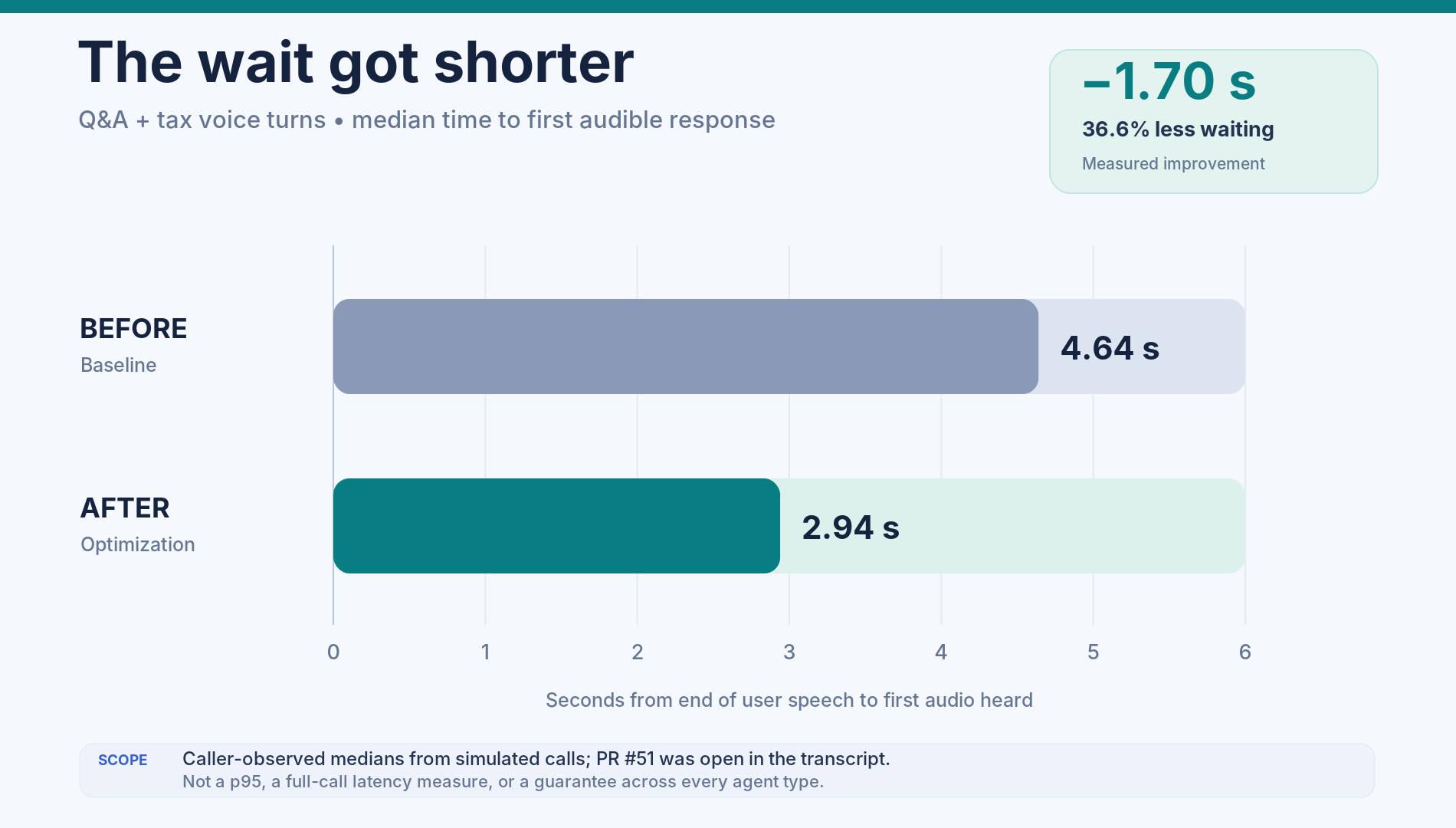
Later Q&A optimization work reported a median improvement from 4.64 to 2.94 seconds as heard by the caller, although the associated change was still under review in the transcript.
6. Why speculative execution needed strict boundaries
Starting work before the caller finishes can be dangerous when agents have side effects.
Consider:
“I want to retire at sixty… actually, make that sixty-five.”
If the workflow starts committing a response to the first part, it might save the wrong memory, update conversation history prematurely, or cache an answer to an unfinished question.
The architectural solution was to distinguish speculative preparation from committed execution.
While the user speaks, the system may perform restricted preparatory work such as classification and data warming.
Only after the final transcript is established does the normal workflow produce the answer and commit conversational state.
Even prefetching has costs: an early market-data request can still consume provider quota. Speculative work therefore needs rate limits and careful cache handling.
The principle is broader than voice:
Speculative computation should not accidentally become a durable user action.
7. Interruptions revealed a distributed-state problem
LiveKit provides a full-duplex audio connection: the microphone can remain active while Finnie speaks.
But Finnie's underlying reasoning pipeline is still turn-based. It is better described as turn-based conversation with barge-in, rather than a fully simultaneous speech-to-speech agent.
This creates an interesting failure mode.
Suppose Finnie generates a six-sentence answer.
The user interrupts after hearing the first two sentences.
The audio stops, but the LangGraph workflow may continue running and save the complete response.
On the next turn, the agent could assume the user heard all six sentences.
That assumption is incorrect.
To address this, the implementation passes interrupted_after into the next conversational turn, carrying information about what the user actually heard.
The full written answer remains available, but the agent can reason about the interrupted listening experience.
The “uh-huh” versus “Stop” problem
One simulated-call experiment illustrated how difficult interruption handling can be.
| Interruption setting | “Uh-huh” | “Stop” |
|---|---|---|
| Allow one-word interruption | Incorrectly stops the answer | Correctly stops |
| Require two words | Correctly ignores the acknowledgment | Incorrectly ignores “Stop” |
Neither simple configuration handled both cases.
I subsequently added support for LiveKit's adaptive interruption detector, which uses acoustic signals to distinguish backchannel acknowledgments from meaningful interruptions.
At the time covered by the transcript, this had been integrated but not successfully validated against LiveKit Cloud. Local testing fell back to ordinary voice-activity detection.
That distinction matters: implementing a feature is not the same as proving its behavior under real conditions.
8. Financial conversations require a specialized speech layer
Speech transcription introduces an entire category of errors that typed chat rarely encounters.
Some examples from the evaluation work included:
| Intended phrase | Transcription issue |
|---|---|
| 401(k) | “four zero one k” |
| CD ladder | “CD letter” |
| I bonds | “Eyebombs” |
| Company names | No corresponding ticker symbol |
These errors matter because the downstream agent may classify the question incorrectly or retrieve the wrong data.
I added finance-specific terminology to the STT configuration, transcript normalization rules, and company-name-to-ticker resolution.
The ticker fix was particularly revealing: Finnie previously handled symbols such as AAPL better than spoken names such as “Apple.” This was actually a weakness in text chat too, which voice development helped uncover.
The evaluation dataset contained 71 financial phrases spoken six ways, including accents, faster speech, and background noise.
| Metric | Before | After |
|---|---|---|
| Word error rate | 7.1% | 2.7% |
| Correct finance terminology | 88.7% | 99.1% |
| Correct numbers | 85.3% | 96.8% |
Those improvements were significant for the evaluation set, although noisy and ambiguous phrases still produced errors.
Memory must be more conservative with speech
There is a major difference between misunderstanding a spoken sentence and storing that misunderstanding as a permanent fact.
The implementation therefore uses stricter confidence requirements for voice memories.
Low-confidence transcriptions are excluded, and voice memories require a higher confidence threshold than memories extracted from text.
The system also checks for sensitive identifiers spoken as words rather than digits.
At the end of a call, the worker waits for pending memory operations so they are not silently lost when the process shuts down.
Discreet amounts and neutral tone
A financial assistant must also consider who might overhear its answers.
Finnie defaults to not speaking precise dollar amounts unless the caller explicitly enables them.
One early implementation told callers that amounts were available “on your screen.” But the actual interface sometimes concealed the same figures.
That contradiction was discovered through simulated calls, and the voice response was revised to avoid promising nonexistent on-screen data.
I also chose a neutral speaking style for gains and losses. An enthusiastic tone about a rising stock can sound like an endorsement, even if the underlying explanation is carefully worded.
For financial education, neutral delivery is a product requirement, not merely a voice preference.
9. Designing for failures, not only successful calls
The voice pipeline depends on several external systems.
Deepgram might stop responding. ElevenLabs might fail to generate audio. A financial-data provider could be slow. The worker might crash, or the user's connection might drop.
Those failures need predictable behavior.
The implementation introduced slow-turn feedback, time limits for unanswered turns, circuit breakers for speech providers, and a fallback speech engine.
When ElevenLabs fails, Deepgram Aura can serve as an alternative TTS voice.
This is better than switching between two ElevenLabs models during a provider-wide outage, although it does introduce dependence on Deepgram for both transcription and the backup voice.
Circuit breakers also need shared state. A breaker isolated to a single call process cannot reliably detect an outage affecting many calls.
Redis was therefore an important infrastructure consideration.
Call lifecycle management required attention too.
A live test found that after a caller disconnected, a LiveKit job could remain running long enough for final bookkeeping to be missed.
The fix centralized call shutdown so usage could be saved, the session marked closed, and the job cleaned up consistently.
The worker also enforces call duration, inactivity, turn-count, and daily usage limits to prevent forgotten open microphones from generating unbounded costs.
10. The web UI became part of the real-time architecture
Streamlit worked well for Finnie's existing text interface, but a real-time voice experience required additional JavaScript integration.
A custom component handled LiveKit's browser connection, microphone access, playback, and call status.
That design avoided triggering a full Streamlit rerun every time the agent produced a partial transcript or changed from Listening to Speaking.
The interface also needed consent, mute and end controls, a speak-amounts setting, and a way to view or delete voice-call records.
Testing revealed bugs that would not appear in an ordinary chat interface: answer events dispatched from the wrong execution context, microphone failures without actionable messages, and worker disconnections that were not immediately visible to the caller.
This reinforced a useful lesson: the frontend is not just displaying the voice agent's output. It participates in the timing, reliability, and privacy model of the conversation.
11. Voice evaluation is more than checking answer accuracy
Traditional LLM evaluation focuses heavily on response correctness.
Voice systems introduce additional dimensions: transcript accuracy, speech naturalness, latency, turn-taking, interruptions, and whether the user actually heard important information.
I separated evaluation into multiple levels.
Deterministic CI tests verify speech formatting, amount handling, disclaimer behavior, and routing. Paid evaluations test transcription accuracy and agent responses. Simulated end-to-end calls exercise LiveKit with actual audio under pauses, noise, backchannels, interruptions, and silence.
The last category was particularly valuable.
Simulated calls exposed an issue where the classifier treated follow-up questions such as “What's the exact amount?” as unrelated because it did not adequately use the previous turn.
A targeted routing change subsequently improved the reported follow-up results from 19/26 to 26/26 cases.
The tests also caught a duplicate-streaming problem: the existing LangGraph integration forwarded token output and then replayed completed answers. This caused voice to repeat responses and also affected text streaming.
Fixing that bug improved both interfaces.
I learned that real-time voice tests are an unusually effective way to uncover weaknesses in the underlying agent architecture.
12. The architecture tradeoffs, summarized
| Design decision | Benefit | Tradeoff |
|---|---|---|
| Reuse existing LangGraph | Consistent agents, tools, memory and guardrails | Requires careful streaming integration |
| Separate voice worker | Fault isolation and independent deployment | Additional infrastructure |
| One conversation thread per call | Avoids concurrent checkpoint conflicts | Less immediate chat/voice continuity |
| Cascaded speech pipeline | Modularity and auditability | Higher end-to-end latency |
| Smaller classifier | Faster routing | Needs continued quality evaluation |
| Speculative data warming | Reduces delays on slow questions | Extra requests and quota usage |
| Short voice responses | Better listening experience and lower TTS usage | Less detail per answer |
| Discreet amounts by default | Better privacy in shared spaces | More confirmation and UI work |
| Adaptive interruptions | Potentially more natural conversations | Requires cloud validation and careful tuning |
The transcript documents working prototypes, substantial implementation, local and scripted voice tests, evaluation infrastructure, and deployment preparations.
It does not establish a completed general-availability rollout. Production validation, certain infrastructure checks, provider privacy review, and consent or disclosure sign-off still mattered.
Final thoughts: Voice exposes every shortcut in your architecture
Adding voice to Finnie changed how I think about building agentic AI applications.
A text user might tolerate a six-second response, skim a long explanation, or overlook an awkwardly formatted number.
A voice user experiences those same issues differently.
Six seconds feels like the assistant stopped listening. An overly long response becomes exhausting. An incorrect financial figure is harder to verify. A badly timed interruption makes the conversation feel unnatural.
What looked like a microphone feature became an exercise in distributed state, asynchronous execution, user experience, security, and evaluation.
The biggest lesson was not about choosing LiveKit over another framework, or one speech model over another.
It was this:
Don't build a new brain just because you add a new interface. Preserve the intelligence you already trust, and design the interface around the new failure modes it introduces.
That is what ultimately makes an agentic voice system more than a demo.